Levendis's Forum Page
Forum Replies Created
-
 LevendisParticipant
@alex wrote:
I think there should be a subforum called: “Ask Levendis”.
Tee hee 😆
“Ask Levendis” sounds like a column in a tabloid.
LevendisParticipant@alex wrote:
Fx automation is also a must have feature.
Do you mean for hardware processors? Because the wiki has a list of device definitions that other users have configured. Of course, it’s not a comprehensive list, and there are instructions on how to set this up for particular devices. Controlling parameters on a midi device should be possible using midi cc messages.
I hope that information is useful. I don’t have any gear in my ‘studio’ so haven’t explored this scenario.
When it comes to VSTi and VSTfx, you can assign midi cc to parameters or write automation to a track lane. There are numerous ways to achieve the latter.
- Record arm the track with the plugin. Start recording. Adjust the knob/field/slider parameter on the plugin. An automation lane will be written.
- Right-click the slot of the plugin whose parameter you wish to automate. Navigate into the menu labelled Automate parameter and select the one you want.
- Open the Inspector, find the parameter in the device list and double-click it.
I’m not sure how it’s achieved, but it should be possible to, link any set of parameters to a generic midi controller, and have customised assignments for each project. For the times you want the x/y controller on a KAOS pad to be mapped to different parameters, for example.
November 19, 2012 at 19:02 in reply to: Restricted to Podium license ownersLevendisParticipantThis content is restricted to Podium license owners.November 19, 2012 at 18:13 in reply to: Restricted to Podium license ownersLevendisParticipantThis content is restricted to Podium license owners.November 19, 2012 at 18:06 in reply to: Restricted to Podium license ownersLevendisParticipantThis content is restricted to Podium license owners.November 19, 2012 at 17:48 in reply to: Restricted to Podium license ownersLevendisParticipantThis content is restricted to Podium license owners.LevendisParticipant@The Telenator wrote:
I want to caution readers that the 55 offerings here are all in some stage of BETA.
Well worth noting. That said, submissions made in previous years have included wonderful plugins. Even if they fall short of fully functional; FMMF, for instance, is one I’m glad to have come across.
While I haven’t tested these thoroughly, they do perform in Podium. I haven’t audited many, and ignored MIDI tools and sample/preset banks:
GENERATORS
FX
- Azurite
- Boids; I might vote for this one. Reminds me of Charsiesis… ♥.
Careful with the dry knob in the mixer section. It outputs beyond 1:1 of input. - Clip Shifter
- Dust Bucket
- Flame by the reliable Martin Eastwood Audio.
- Full Bucket’s Frequency Shifter
- Fusion Delay; as it is a delay unit, beware of sudden offsets in amplitude.
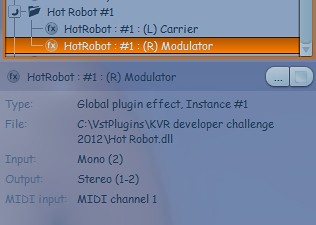
- Hot Robot Vocoder; best used as a multitimbral instance.

- PitchedDelay
CRASHES
NB: I’m running a 32bit OS, therefore only tested the 32bit builds of plugins.
LevendisParticipant:gulp:
My apologies ishkabbible. I had the fleeting intuit my post should be sanctioned first. 😳
I’m hoping music shared to Podium Poppets would be announced in this thread. Given you hadn’t made an entry I took the liberty.I like all your playful pieces. At the time I posted the link, ‘Research‘ was your only submission. Else I would have listed ‘Error on an eString‘ and ‘Ishkabbible’s eTune Opus 1 Number 4‘.
I promise to behave in future 8)
LevendisParticipantGlad to get my homework in on time:
LevendisParticipantLevendisParticipant@alex wrote:
epicVerb won’t load. It ended up in quarantine 3 times. Has anyone had problems with it?
You won’t like seeing this picture then 😛
epicVERB v.1.5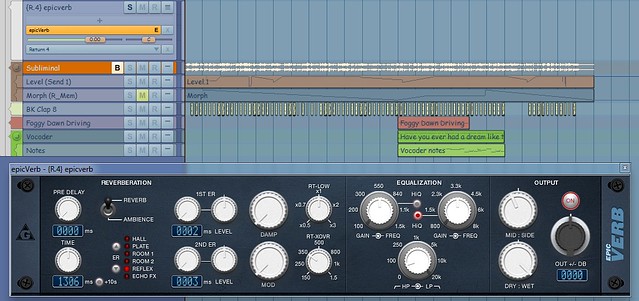
Try editing your quarantine list:
- Open the Setup menu in Podium.
- Select “Explore Setup folder“.
- Open the file named PluginQuarantine.txt with a text editor.
- Delete epicVERB’s entry.
- Cross fingers.
- Import the plugin.
LevendisParticipantOmnisone is my ‘go to’ plugin for stereo control in Podium.
Great bundle!
Thanks for sharing alex 🙂LevendisParticipantHello Alvaro,
I suspect you might have resized the sound event of the bounce. Or may have bounced within a punch or selection range.Right-click the bounce slot on the track header and deselect ‘Hide Track Lane‘. You will then see the extent of the sound event (the time range to be exported).
 LevendisParticipant
@ CymaticCycle & alex
Thanks heaps guys 😀
It was a case of installing the wrong version.
Works great now!I fully endorse super_crunchy‘s recommendation for Stardust.
For quick and easy beefiness, I grab Rough Rider.LevendisParticipant@alex wrote:
http://vladgsound.wordpress.com/plugins/molot/
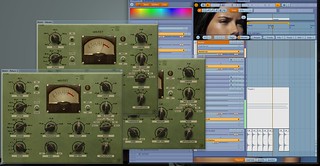
By the way, I have a little problem with this one in Podium free – it works great, and you can have it on the master bus, group buses, single tracks, as many as you want as long as you don’t make two of them show up on the screen at the same time. Podium freezes right away. So, if anyone else has that problem, please, let me know.
I didn’t have the same trouble you did with running multiple GUIs.
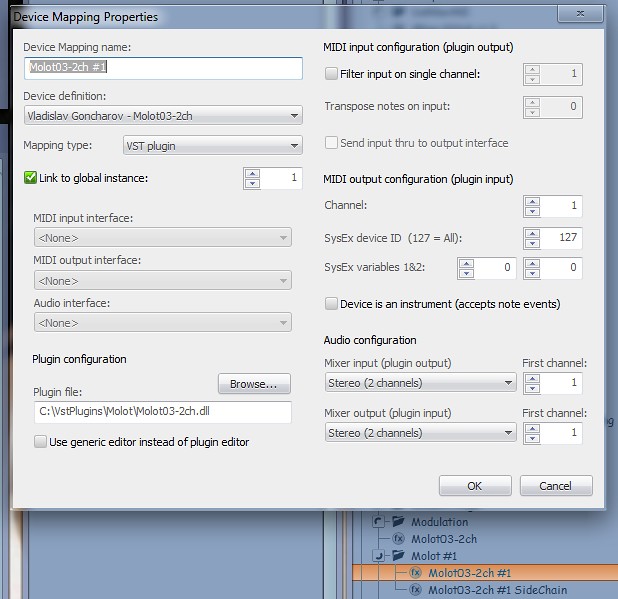
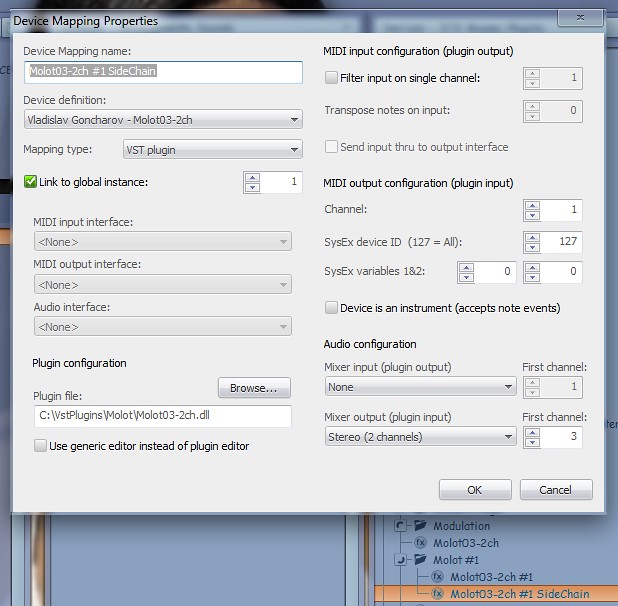
I am unable to get it into sidechain mode though. :HELP: When I imported the plugin I didn’t get a multitimbral instances automatically so made the necessary objects (images below). If I can’t get it to run in this mode, like Me le suono, will probably uninstall it.
And yes, W1 Limiter and Density are good compressors 🙂
@Me le suono! wrote:
http://www.vst4free.com/free_vst.php?plugin=Compressive&id=914
Martin Eastwood’s Compressive is great for sidechain compressing. I don’t use the particular build you cite. I use the one bundled with ComputerMusic Magazine. The difference being it has a brickwall limiter. 🙂